
Category: YouTube
-
YouTube Just Dropped a Potential Game Changer: The New Collaboration Feature
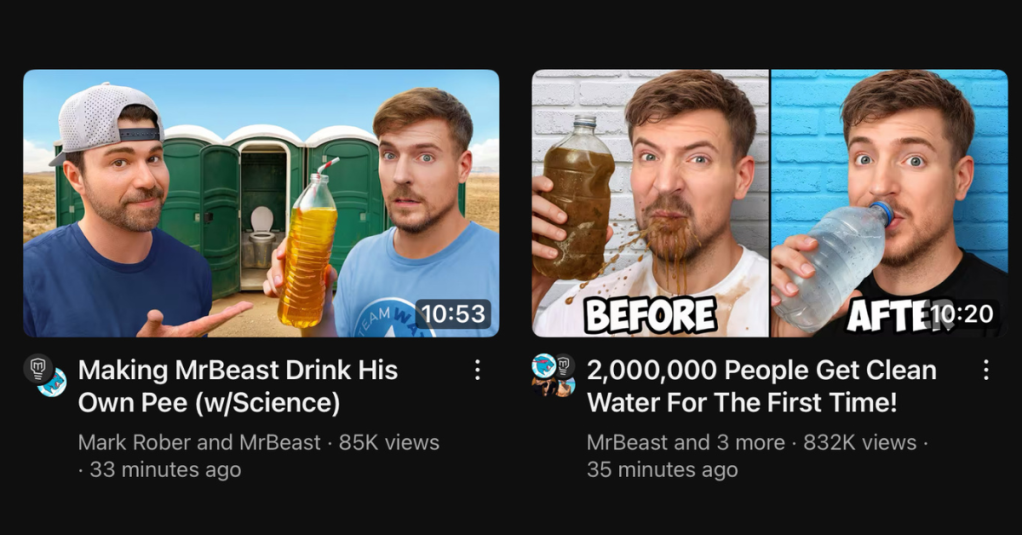
You might have noticed something a little different making waves across YouTube lately, especially if you follow creators like MrBeast and Mark Rober. Their recent collaborations for the #TeamWater initiative weren’t just the usual pairing of talented minds; they also showcased a brand-new feature YouTube is currently testing – and it could fundamentally change how…
-
New YouTube Feature: Share Your Channel Insights with Brands to Unlock More Opportunities
YouTube has launched a new feature for eligible Partner Program creators: the Channel Insights Sharing setting. This tool makes it easier to get noticed by advertisers and brands by sharing your aggregated channel and audience data via Google tools like the Creator Partnerships Hub. Key details: • Opt-in only: Off by default, you control when…
-
Discover the Latest YouTube Live Stream Features Everyone’s Buzzing About
In the ever-evolving world of YouTube, creators and viewers alike are constantly on the lookout for new ways to engage more deeply during live streams. One of the latest experiments YouTube has introduced is the Live Stream Leaderboard, a feature designed to transform live chats into dynamic, interactive arenas where viewers can earn experience points…
-
Reused Content: What It Is and How to Avoid It on YouTube
Summary As a creator, understanding YouTube’s policies around reused content is crucial for maintaining a successful channel and avoiding potential monetization issues. In this blog, I’ll dive deep into what reused content means, the consequences of posting it, and how you can ensure your content meets YouTube’s guidelines. By the end, you’ll have a clear…
-
The Newest Way to Engage Your Community on YouTube
For some time, YouTube have been rolling out new features and updates to 2 areas of focus. One is YouTube Shorts. Shorts creation tools have been constantly rolling out on mobile devices since Shorts was launched in 2021. The other area is the Community Tab. The Community Tab and by extension the Community Posts have…
-
How To Edit A YouTube Video AFTER Upload
YouTube provides many tools inside of the Studio dashboard that aim to help make the creator’s process easier. One such tool is the Editor feature, available for all uploaded videos. What can you do with it? The YouTube editor is found in the YouTube Studio dashboard. You can go into the Content menu and select…
-
Here’s Why Many Millions of Creators on YouTube Have Just Received the Community Tab
October 2021 – just over a year ago, YouTube dropped the requirement for the Community tab and posting features from 1000 subscribers to just 500. Creators were still settling into that new paradigm. Smaller channels had a new mid-way goal on their way to the 1000 subscribers required to get into the YouTube Partner Program…
-
The YouTube Feature Streamers Are Sleeping On
YouTube has been all-in on live streaming for a long time. For the past 5 plus years, they have been slowly adding functionality to their live streaming bag of tricks. With the announcement earlier this year and late last year of even more functionality heading our way, there is one recently added feature that not…
-
YouTube Creators CAN Customize Their Playlist Tab – Here’s How!
Most YouTubers know that the Home page on their channel is very customizable in regards to how the “shelves” are presented. Horizontal and Vertical playlists, live streams, shorts, Member’s Only videos, and more. But what about the Playlist tab? On the surface, it appears to be a summary of Created Playlists under that very title.…
 Doug Hewson YT